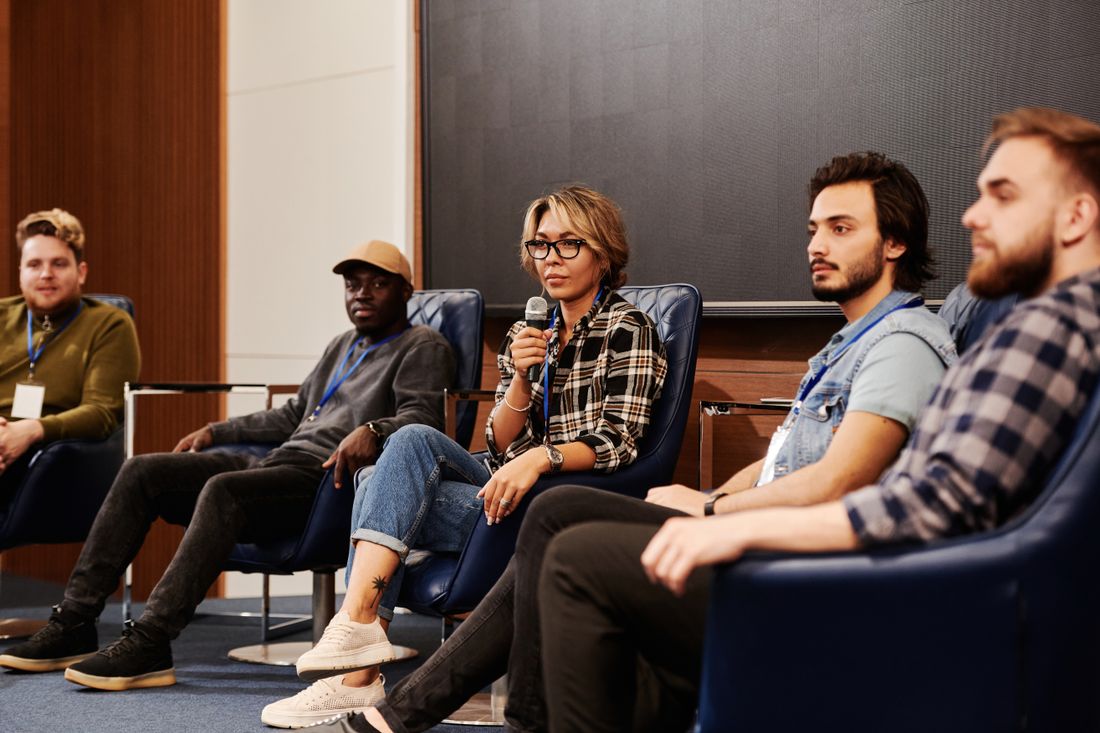
Photo: Core Visuals NYC
The keynote gets a full crew and the panel gets one camera at the back of the room. That's backwards. Four people in chairs are harder to make watchable than one speaker on a stage, because the value is in the back-and-forth, and a conversation only works on video if you can cut between the people having it.
What a panel needs, in practice, is two cameras (a wide plus a closer angle for reactions), shots of the audience and the moderator to cut to, a lav mic on every panelist and a room mic as backup.
Table of Contents
A locked-off wide of four chairs isn't coverage
One static wide captures every word and gives the editor nothing to cut to. No reaction, no change of scale, no break. The result looks like a security camera pointed at a meeting. Nobody consciously thinks "this is one shot." They just drift off, usually around the point the panelists get absorbed in their own answers.
It also leaves no margin. If a panelist leans out of frame or the moderator turns away, there's no other angle to save it. And you can't trim a rambling answer without a visible jump. The editor can only cut to footage that exists, so we plan a panel backwards from the edit: a two-shot to open, the moderator's question, a reaction from whoever's about to answer, a wide to reset the room.
One, two or three cameras
One camera gives you a record. Two gives you an edit. That jump matters most. The wide keeps the whole panel in view so the viewer knows who's sitting where, and the second camera, usually a tighter shot moving between speakers, supplies the reactions and lets us tighten a long answer cleanly.
A third camera is a nice-to-have. It usually goes on the moderator, since their reactions carry the rhythm, or on the audience when the room is part of the story. Past three, you mostly get more footage to sync, not a better video.
Where the cutaways come from
The audience does the most work per second. A laugh or someone leaning forward tells the viewer this is worth watching. The moderator's face while a panelist answers tells them how to take what was said. Hands are underused (someone counting off points on their fingers reads as engagement), and a wide of the room gives the edit a place to breathe.
None of these need an extra camera. They're what the second and third cameras catch between speakers, as long as someone decided before the panel started to point them there.
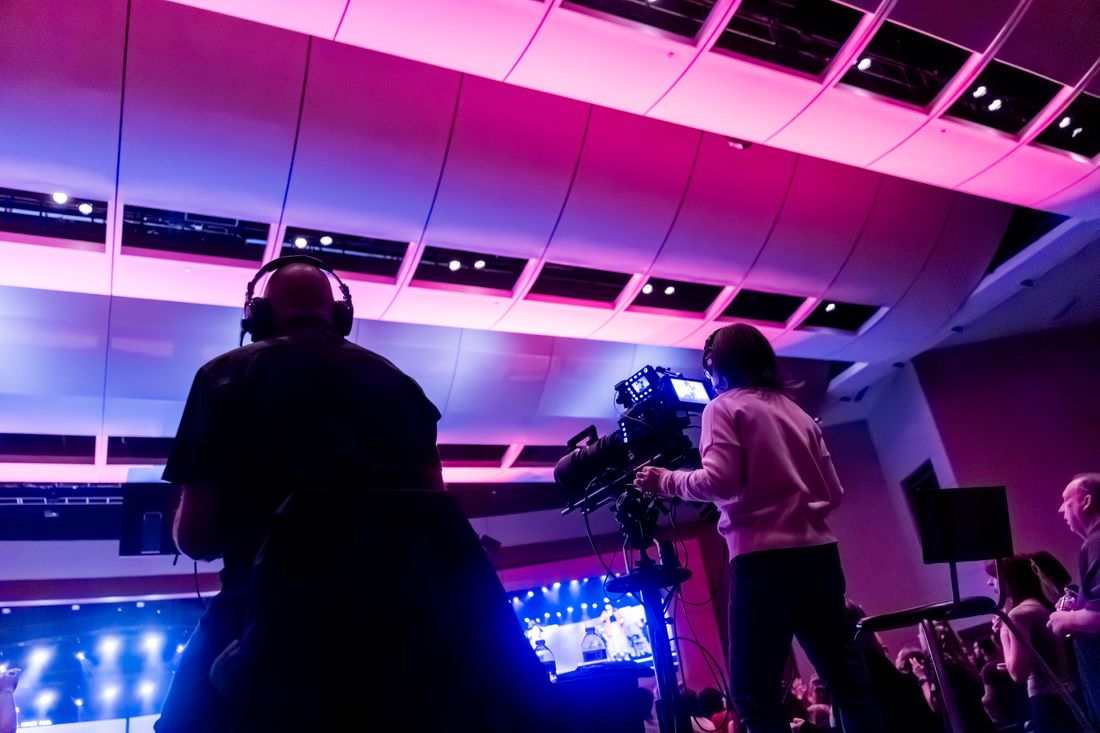
Photo: Core Visuals NYC
Lavs, the house feed and a room mic
The house feed is mixed to sound good in the room. On video it's often every mic blended into one track, with audience noise bleeding in and a panelist dropping out when they lean back from a shared table mic.
So we put a lav on each speaker, recorded separately. That lets us level a quiet talker against a loud one instead of having them fight in one track. We still pull the house feed as backup, and a room mic picks up audience questions and laughter for the cutaways. Losing the house feed is recoverable if the lavs were running. The reverse costs you the deliverable.
Framing the moderator
When the moderator is only an offscreen voice or a sliver at the edge of the wide, a panel starts to feel like four people being questioned by nobody. Give the moderator a clean angle of their own and the edit can show who's steering, when a question lands and when a redirect is coming.
It's practical too. The moderator asking a question is the cleanest moment to cut away from a panelist still settling into an answer. On video they're closer to a host than to furniture.
Seating and stage
A straight row of chairs facing the audience is the hardest layout to shoot. The wide reads as a lineup, and a tight shot on one panelist has an empty chair or someone's shoulder behind them. Angle the chairs a little toward the center, or set them in a slight arc, and the two-shots have depth and the panelists can actually react to each other.
Lighting is the other one. A panel lit for the room and not for camera forces a choice between exposing faces and blowing out the backdrop. None of this means redesigning the event. It means a short seating conversation with whoever sets up the room.
What panel coverage costs
A panel that's the only thing on the schedule usually books hourly, $600 an hour with a two-hour minimum. A one-hour panel still lands at $1,200. That covers the crew and however many cameras the session needs.
Inside a longer event day, it moves to a package. A video-only half day (up to 5 hours, $2,400) or full day (6-8 hours, $3,600) can still run two cameras. The two-person photo and video day, 8+ hours from $6,000, has the two-camera setup as standard and includes the short highlight reel and social clips. There's no separate panel line item.
What a panel shoot delivers
Realistically, one full-length edited recording plus a few short clips built around the best moments. Don't expect one highlight reel to stand in for forty minutes of conversation.
The full edit is the record, for people who registered and missed it or want the whole exchange. The marketing value is usually in the short pulls: one sharp answer, one real disagreement, one moment the room reacted. Each of those needs a clean angle on the speaker and a cutaway that shows the reaction happened. A panel shot on one locked-off camera still gives you the full recording. It rarely gives you anything shorter.
Frequently Asked Questions
How many cameras do I actually need for a panel discussion?
Two is the practical minimum, a wide for the full group and a tighter angle for reactions. One camera records the conversation but leaves the editor nothing to cut to. A third, usually on the moderator or the audience, helps when the budget allows.
Why can't the venue's house sound feed just cover the panel's audio?
It's mixed for the room. It often blends every mic into one track, picks up audience noise, or loses a panelist who leans back from a shared mic. A lav on each speaker, recorded separately, lets us level voices independently. The house feed is a good backup and a risky only source.
What does it cost to add panel coverage to an event?
A standalone panel usually books hourly, $600 an hour with a two-hour minimum, so $1,200 for a single panel. As part of a longer day it goes into a package: half day $2,400, full day $3,600, or the two-person photo and video day from $6,000, which includes the two-camera setup.
What seating arrangement works best for filming a panel?
A slight arc, or chairs angled a little toward each other. Panelists can see and react to one another, and the cameras get depth. A straight row gives every shot the same flat profile with an empty chair behind it.
What's the actual deliverable from a filmed panel discussion?
A full-length edited recording plus a few short clips from the strongest moments. The full edit is the record for anyone who missed it. The clips are what marketing uses, and they only exist if the coverage had enough angles to cut a moment on its own.
Related Reading
Not sure if hourly or a package makes more sense for your event?
Tell us how long the panel runs and what else is on the schedule, and we'll run the numbers both ways before you book.
See Event Coverage Packages