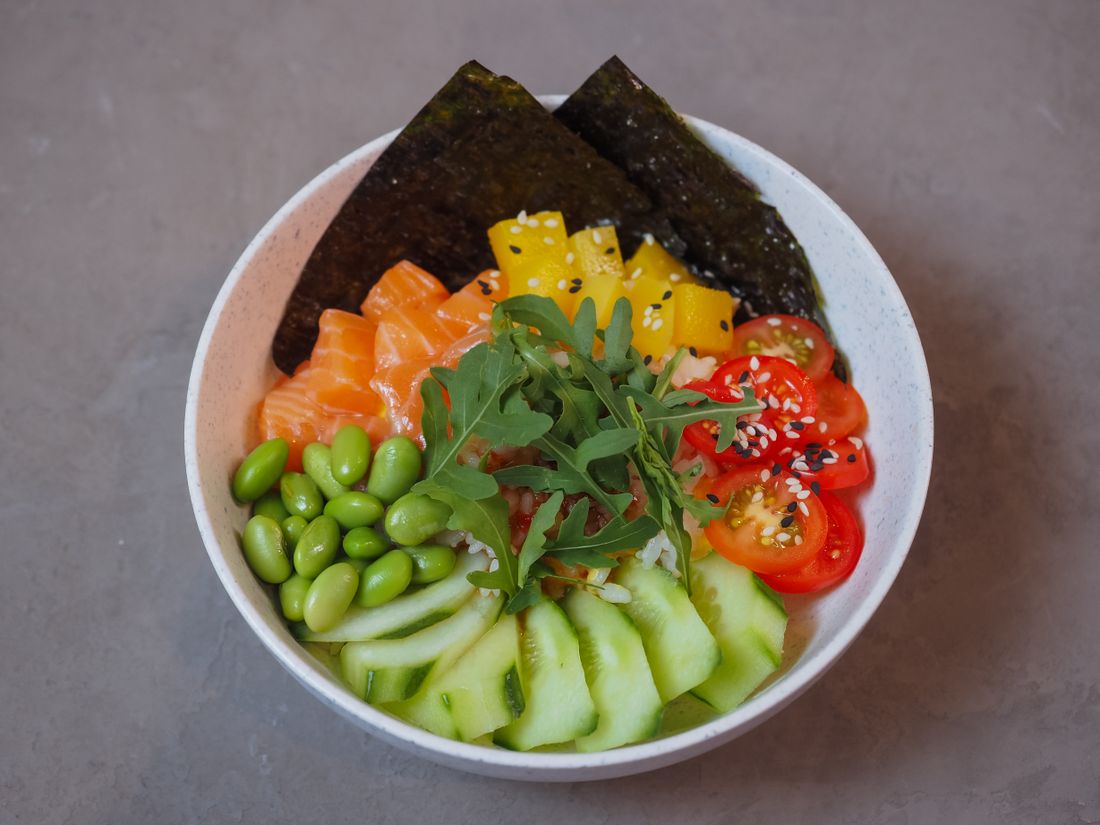
A photo that looks great on a restaurant's own website can quietly underperform the moment it lands on a delivery app. The website version has room to breathe: a wide angle, a napkin and a candle in frame, soft negative space around the plate. A delivery platform strips all of that away and forces the same image into a small square or vertical tile, sitting in a scrolling grid next to a price and a star rating. Menu photography built for ordering platforms has to be shot for that environment from the start, not cropped down from something else after the fact.
Menu photography for delivery apps is a different job than restaurant website photography: it has to read clearly in a small square or vertical thumbnail, stay visually consistent across dozens of dishes, and show the actual portion a customer receives rather than a styled-up version. Shooting for the platform's real crop and grid, not a wide website frame, is what makes a menu photo set actually work where customers order.
Table of Contents
- Why Photos That Work on a Website Underperform on Delivery Apps
- The Square-and-Vertical Crop Problem Delivery Platforms Create
- Why a Dish Has to Read Clearly at Thumbnail Size on a Phone
- Keeping a Full Menu Visually Consistent Across the Grid
- Shoot the Portion That Actually Gets Delivered, Not a Styled-Up Version
- Packaging and To-Go Presentation Deserve Their Own Shot List
- How Many Menu Items a Shoot Day Realistically Covers
- Re-Shooting Only What Changes When the Menu Updates
- Is Professional Menu Photography Worth It for Delivery Apps
Why Photos That Work on a Website Underperform on Delivery Apps
A website photo has room to breathe: a slight angle, a napkin or a candle in frame, open space around the plate for a hero banner to sit against. A delivery app has none of that patience. The same image gets forced into a small square or vertical tile inside a scrolling grid, sitting next to a price, a rating, and a dozen competing dishes, so anything the website framing was doing for mood becomes dead weight the platform's crop chops off unevenly.
That mismatch is why a set that looks strong on the website can flatten into something forgettable, or actively confusing, once it hits an ordering app. The dish drifts to one corner of the crop, or the part that reads as appetizing gets sliced away entirely, and a customer scrolling a long list has no reason to slow down for it.
The fix isn't cropping the website photo tighter after the fact. It's shooting the ordering-platform version on purpose, framed for the grid it will actually sit in, so the food still reads clearly at the size someone scrolls past in under a second.
The exact crop sizes and file rules each platform publishes are worth checking directly, since they change without much notice and a number quoted in an old post can go stale. What each platform currently asks for is covered separately. What doesn't change as often is the craft underneath it: how to shoot so the dish survives whatever crop and compression get applied on top.
The Square-and-Vertical Crop Problem Delivery Platforms Create
Most ordering platforms display menu photos as a square or a tall vertical tile, not the wide landscape frame a website or a print menu comfortably allows, so a dish photographed with room on either side gets center-cropped by the platform and can lose exactly the part that made it look good in the first place.
A wide shot of a bowl with garnish trailing off to one side reads fine on a website. Center-cropped into a square, that same bowl can end up off-center, with the garnish gone and an awkward slice of empty table filling the frame instead. The dish hasn't changed. The frame it's forced into has, and nobody reviewed that crop before it went live because the original photo was never shot with it in mind.
Shooting the delivery-app version square or tight-vertical from the start, with the food centered and filling the frame, removes the guesswork. Nothing important is allowed to live near an edge a platform's auto-crop might cut, because there's no edge left to cut. It's a small planning step that saves a reshoot once a menu is already live on a platform.
Why a Dish Has to Read Clearly at Thumbnail Size on a Phone
A menu photo on a delivery app is usually viewed at thumbnail size on a phone screen, often while someone is scrolling quickly and deciding in seconds, so fine detail, subtle color, and small garnish don't register the way they would in a full-size print or a website hero image.
A dish that depends on a delicate herb sprig or a thin drizzle to look finished can read as plain or unfinished once it's shrunk to the size of a thumbnail on a phone. What survives that shrink is bold shape, clear color contrast, and a composition where the eye knows what it's looking at in under a second, not a photo that only makes sense studied up close on a bigger screen.
That changes what to shoot for, not how the dish gets plated in the restaurant. The photography has to favor a strong silhouette and even lighting over subtlety, because subtlety is the first thing a small screen erases, well before a customer ever gets to a full-size product photo.
Keeping a Full Menu Visually Consistent Across the Grid
A delivery app displays an entire menu as one continuous grid, so a set of photos shot under different light, at different angles, or across separate sessions reads as visibly mismatched the moment a customer scrolls past several dishes in a row, even if each individual photo looks fine on its own.
This is a different problem from any single photo being weak. One dish shot with warm afternoon light next to another shot under a different lighting setup a week later creates a grid that looks assembled from three unrelated shoots, which can quietly read as a menu that isn't well maintained, even when the food itself is consistent and the kitchen hasn't changed a thing.
The practical fix is treating the whole menu as one shoot with one lighting setup, one background, and one camera angle held constant across every item, so a customer scrolling the full list sees one coherent set instead of a patchwork built up over time. That consistency is easy to lose once items get added piecemeal.
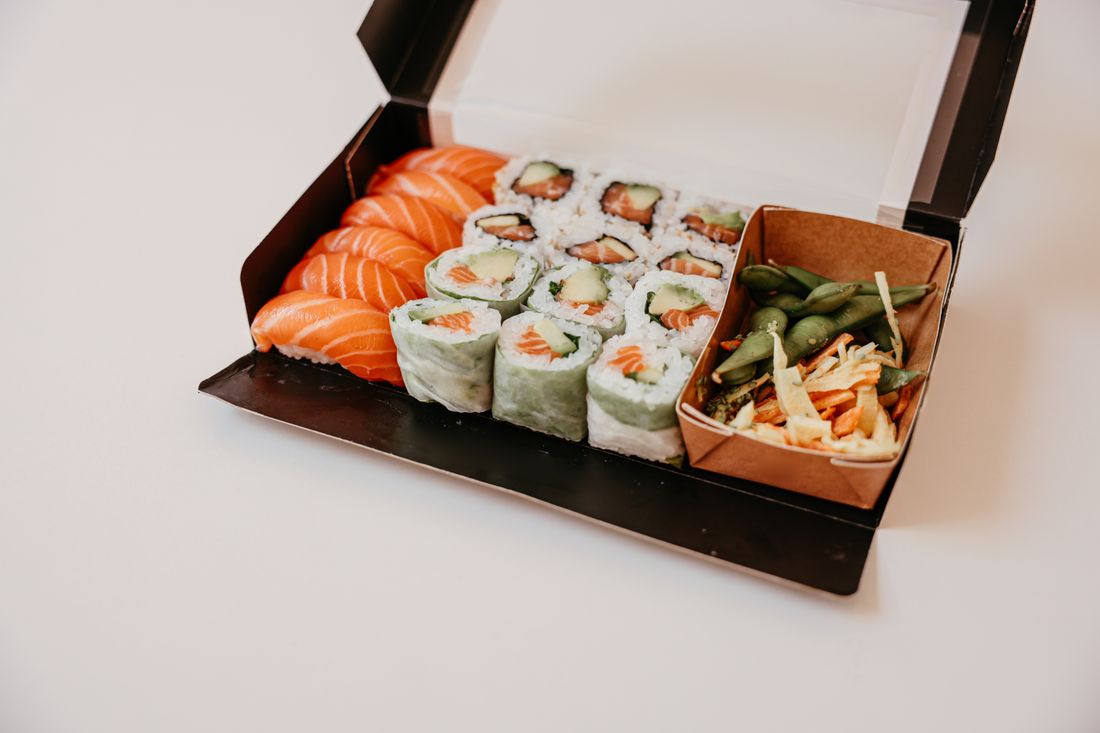
Photo by Cup of Couple via Pexels.
Shoot the Portion That Actually Gets Delivered, Not a Styled-Up Version
A menu photo for an ordering platform should show the actual portion, plating, and container a customer receives, not a styled-up version built for a photo shoot, because a gap between the picture and what shows up at the door is one of the fastest ways a delivery customer loses trust in a restaurant.
A dining-room plate can carry extra garnish, a sauce swirl, or a taller stack built for a photographer, reasonably, since a server delivers it within a minute or two while it's still composed. A delivery order sits in a bag or a box for a stretch of time before anyone opens it, so a photo that promises a taller stack or extra garnish than what travels sets an expectation the actual delivery can't meet, and a customer notices the gap immediately on opening the box.
The honest version costs nothing in appeal and protects the restaurant: photograph the dish exactly as it's boxed and portioned for delivery, so the photo and the order match every single time it's ordered.
Packaging and To-Go Presentation Deserve Their Own Shot List
The container, the lid, and how a dish sits inside a to-go box or bag are worth photographing as their own subject, separate from the plated version, because that packaging is what a delivery customer actually opens, and it rarely gets any photographic attention despite functioning as part of the product.
Most menu shoots default to a plated, dining-room version of every dish and stop there, treating packaging as an afterthought. But a customer ordering delivery never sees the plated version. They see a box, a clamshell, or a wrapped item, and a photo of that container, open and filled the way it travels, sets a more accurate expectation than a plated shot ever could, especially for anything that's meant to be shared straight from the container.
A short, separate pass covering how a handful of representative dishes actually look boxed, plus the bag or carrier itself, rounds out a delivery-focused set without turning the whole shoot into a packaging session on its own.
How Many Menu Items a Shoot Day Realistically Covers
A full-day menu shoot realistically covers a substantial share of an average restaurant's active menu, not every seasonal special or every modifier combination, because each dish needs its own plating, positioning, and a few frames to get right, and that per-dish time adds up across a long list.
The number that actually gets photographed depends more on the kitchen's pace preparing each dish for camera than on the photography itself. A kitchen that can turn out a fresh plate every few minutes moves faster than one juggling the shoot around live prep for the dining room. Grouping visually similar dishes together, so lighting and setup don't have to reset for every item, is what keeps the day moving without slowing the kitchen down more than it has to.
The practical approach is prioritizing the highest-order items and anything driving delivery volume first, then filling in the rest of the menu as time allows, rather than treating every line item as equally urgent to capture on day one.
Re-Shooting Only What Changes When the Menu Updates
A menu photo set doesn't need a full reshoot every time a restaurant updates its offerings. Holding the same background, lighting setup, and camera position from the original shoot means only the new or changed dishes need new photos, and they'll match the existing set without anyone noticing a seam.
Menus change constantly: a seasonal item rotates out, a dish gets reformulated, a new category gets added for a promotion. Treating every one of those changes as a reason to reshoot the whole menu is costly in kitchen time and usually unnecessary, since most of the existing photos still accurately represent dishes that haven't changed at all.
What makes this work is documentation from the original shoot: the exact background, light position, and camera height noted and kept on file, so a short top-up session months later can slot new photos into the existing grid without a visible seam, instead of starting the whole menu over from scratch every time one item changes.
Is Professional Menu Photography Worth It for Delivery Apps
The real question isn't whether professional photography looks better than a phone shot of a plated dish. It usually does. The real question is whether that gap is worth spending on, and the honest answer depends on how much of the ordering decision the photo is actually carrying.
On a delivery platform, the photo does more selling than it does anywhere else. A customer can't smell the dish, can't ask a server a question, and can't see the room. The thumbnail is close to the entire pitch, sitting next to a price and a star rating, so a flat or badly cropped photo is a real cost on items that would otherwise sell, not just a cosmetic problem.
What makes the spend worth it is treating the menu as one project instead of paying for photos dish by dish. A single session covering the whole active menu, with one lighting setup and one background locked in and documented, costs less per dish than scattered one-off photos, and it's what sets up the short top-up shoots described above instead of a full reshoot every time something changes. Ask for a fixed number for the whole set rather than a per-photo rate. That's the only way to compare two quotes honestly, whoever ends up shooting it.
Frequently Asked Questions
Why don't restaurant website photos work well on delivery apps?
Website photos are usually shot wide, with props and open space around the plate for a hero banner. Delivery apps crop that same image into a small square or vertical tile inside a scrolling grid next to a price and rating, which chops off framing unevenly and shrinks detail past the point of reading. Menu photography built specifically for the platform's actual crop and grid size solves this, rather than cropping a website photo down after the fact.
Should menu photos for delivery apps be shot square or vertical?
It depends on the platform, but food should be centered and fill the frame either way, since most ordering apps display photos as a square or a tall vertical tile rather than a wide landscape shot. Keeping nothing important near an edge removes the guesswork, because a platform's automatic crop has no room left to cut anything meaningful away. Shooting square or tight-vertical from the start avoids an awkward center-crop of a wider image.
Should a delivery menu photo show the exact portion a customer receives?
Yes. A photo that shows extra garnish, a taller stack, or a styled sauce swirl beyond what actually gets boxed for delivery sets an expectation the order can't meet, and that gap is one of the fastest ways a delivery customer loses trust. Photographing the dish exactly as it's portioned and packaged for delivery, rather than a plated dining-room version, keeps the photo and the order consistent from click to doorstep.
How many dishes can a menu photography shoot cover in one day?
A full day realistically covers a substantial share of an active menu, not every seasonal item or modifier combination, since each dish needs its own plating and a few frames. The kitchen's pace preparing dishes for camera usually sets the ceiling more than the photography itself. Prioritizing top-selling and delivery-driving items first, then filling in the rest as time allows, works better than treating every line item as equally urgent.
Does a whole menu need to be reshot every time it changes?
No. Holding the same background, lighting setup, and camera position from the original shoot means only new or changed dishes need new photos, and they'll match the existing set without a visible seam. Documenting those exact setup details at the original shoot is what makes a short top-up session possible months later, instead of treating every menu update as a reason to reshoot the entire set from scratch.
Related Reading
Need a real number before you can plan the rest of the budget?
Give us the date, the run time, and the deliverables you're after, and we'll send back a quote with every line item spelled out.
Get a Quote