A wall of perfectly matched headshots can look organized and still feel strangely unhelpful. The lighting agrees. The people have apparently been issued the same shoulders.
Credible attorney headshots use a consistent visual system while leaving expression, posture, clothing, and presence flexible enough to fit each person. Keep the lighting, background, crop, color, and retouching standard stable. Direct each attorney toward the version of professional that feels believable on them. Consistency should hold the page together, not flatten the people on it.
Photo: Core Visuals NYC
Photo by Alexander Dummer via Pexels.
Table of Contents
What should a law firm headshot system standardize?
A law firm headshot system should standardize the elements viewers read as one set: background, light direction, contrast, crop, camera height, color treatment, file dimensions, and retouching level. Those choices create continuity across the directory. Expression and posture can then change without making the page feel assembled from unrelated sessions.
Think of consistency as the frame around the person. If every portrait uses a similar head size, eye line, shoulder crop, and background tone, the website grid stays calm. One attorney can face slightly toward camera with a reserved expression while another uses a warmer, more open posture. The page still belongs to one firm.
The visual system should be approved before the full team cycles through. Test the background against the website, decide whether portraits will sit on white, gray, or dark page sections, and confirm the final crop. A beautiful vertical portrait can become a small surprise when the directory component expects a square.
What makes an attorney headshot look credible?
A credible attorney headshot looks attentive, composed, and recognizable. It does not require a severe expression or a broad smile from every person. The useful expression sits between the attorney’s normal presence and the role the image must play, whether that is reassuring a prospective client, addressing a corporate buyer, or representing a litigation team.
Direction works better as a range than a single command. Start neutral. Add a small smile. Try a more direct version. Adjust the shoulders, chin, and eye line. The goal is not to create many personalities. It is to find which subtle combination reads as capable without asking someone to perform a stock-photo idea of confidence.
A partner, associate, and operations lead may all belong in the same directory while needing slightly different energy. That difference can live inside the same lighting and crop. The team looks coordinated because the visual rules agree. The people look credible because their faces do not.
Should every attorney use the same background?
Use one primary background when portraits will appear together on a team directory, practice page, or proposal. A shared field makes the set feel intentional and simplifies future additions. Choose the tone against the actual website and clothing palette, not from a sample portrait viewed alone on a studio monitor.
Soft white feels open and clean but can disappear into a white page unless the site adds a boundary. Mid-gray is flexible across skin tones and clothing and gives designers room to place portraits on light or dark interfaces. Charcoal can feel focused and polished, though dark suits need enough separation to keep their shape.
Environmental office portraits can support the set, but they solve a different job. They are useful for profiles, features, recruiting, and firm culture pages. For a directory with many people, changing windows, rooms, and furniture introduces visual noise quickly. Keep the standardized headshot as the reliable base, then add environmental frames where the page has room for them.
How do you coordinate clothing without making everyone identical?
Coordinate clothing by setting a level of formality, a broad color range, and a few background-specific boundaries. Avoid prescribing one suit or one tie. The firm needs portraits that sit well together, while each attorney still needs to look like the person a client will meet.
A short prep note can say whether jackets are expected, whether ties are optional, and which colors separate cleanly from the background. It can also invite a second layer for variety. A navy jacket and gray jacket can both belong in the same set. Identical navy jackets can make the directory look like the firm has a costume department.
Patterns deserve a practical check rather than a ban. Fine stripes may create visual interference at small web sizes. Highly reflective glasses can need a lighting adjustment. Bright white shirts against a white background may lose their edge. These are production details, not judgments about anyone’s wardrobe.
How much retouching keeps the set believable?
Retouching should remove temporary distractions and create a consistent finish without changing the person’s identity. Balance skin tone, stray hairs, clothing lint, and small background issues. Keep natural texture, facial structure, and recognizable features. The best standard is one the whole team can approve without anyone looking newly manufactured.
Approve one or two finished samples before processing the full set. That gives the firm a clear reference for skin texture, under-eye work, flyaways, teeth, glasses glare, and clothing cleanup. It also protects against person-by-person requests slowly moving the set toward five different definitions of polished.
Retouching consistency matters when portraits happen on different days. A later attorney should not receive heavier smoothing or a different color grade simply because another editor opened the file. Save the reference exports and the editing notes with the lighting diagram.
How do you make future hires match?
Future hires match when the original session leaves a reproducible record. Save the background, light placement, camera height, focal length, crop, color target, retouching reference, and export dimensions. A new session may happen months later, but those notes give the photographer a system to rebuild instead of a screenshot to imitate.
Keep one final reference image with neutral clothing and even skin tone. Record how far the subject stood from the background and where the eyes landed in the frame. If the firm changes offices, the portable parts of the setup can still travel. The room should not become an invisible dependency.
Designers can help too. If the directory component uses a consistent crop and background color, minor differences between sessions become less visible. Photography and web layout are working on the same problem. It is polite when they speak before the deadline.
How do you keep a team headshot day efficient?
An efficient team headshot day uses a fixed setup, realistic appointment blocks, one on-site decision maker, and a simple selection process. Build enough time for direction and small adjustments without turning every slot into a separate creative development meeting. Consistency improves when the session has a rhythm.
Core Visuals currently lists team headshots at $1,500 for the first five people, with on-location or studio photography, professional retouching, web and print files, and seven-to-ten-day delivery. Volume pricing applies for larger teams. The fixed setup and shared visual plan are what make that scaling practical.
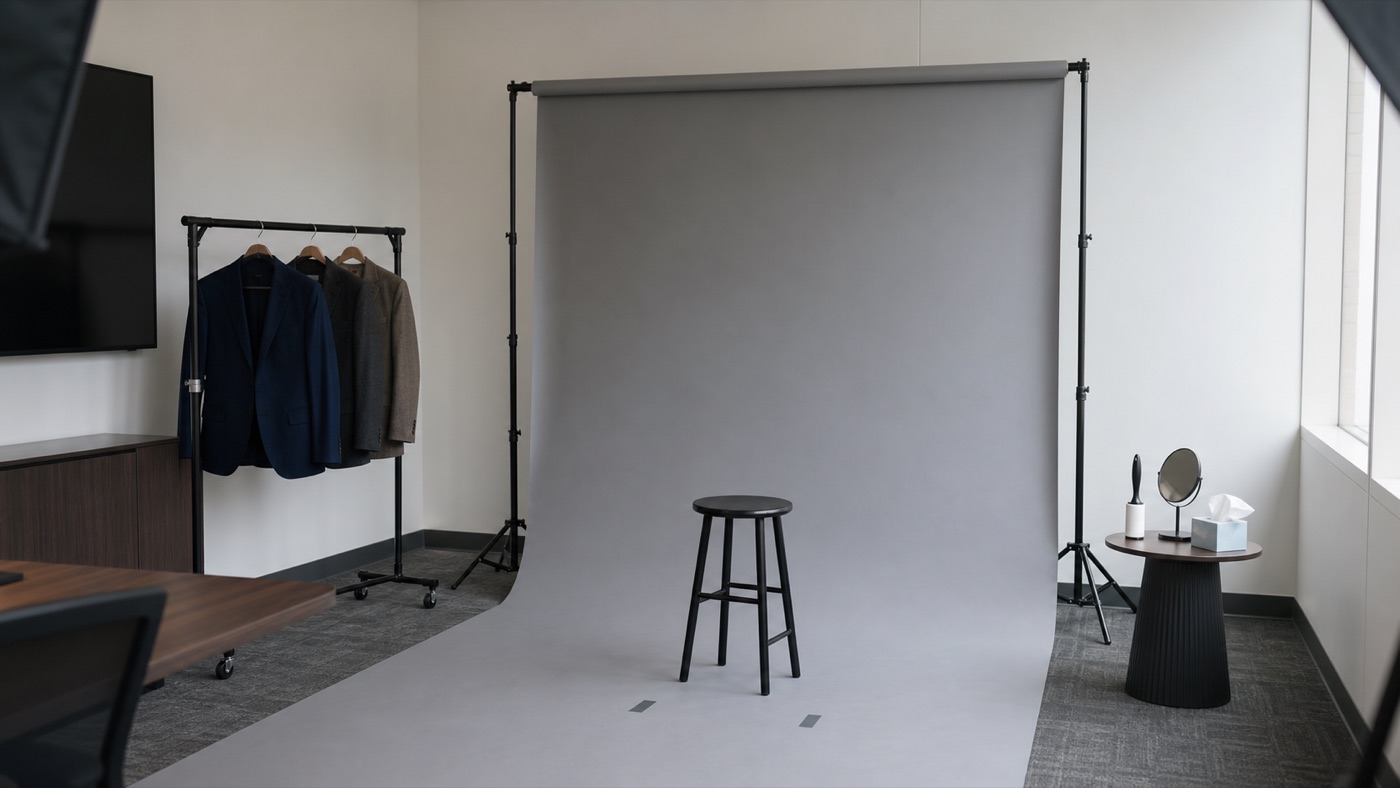
Schedule the people with the least flexibility first and leave a recovery window for meetings that run long. Put a mirror, lint roller, tissues, and a place for jackets near the set. Have one person from the firm approve the first frame and answer style questions. Fifteen different stakeholders can all have excellent taste. The camera only needs one current answer.
The useful brief: show the current website, name the pages where portraits will appear, approve one background and crop, set the formality range, and choose the retouching reference before the full team is photographed.
The goal is not to make every attorney interchangeable. It is to make the firm recognizable across every portrait, then let each person do the quieter work of looking like themselves.
Planning headshots for a law firm?
We can build one repeatable portrait system for the current team and document it for the people who join later.
See Team HeadshotsFrequently Asked Questions
Law firm headshot planning becomes easier when the team decides five things early: the clothing range, background, current package scope, retouching standard, and method for adding future hires. Those choices create a durable system instead of a one-day styling exercise.
What should attorneys wear for law firm headshots?
Choose clothing that matches the firm’s normal client-facing level of formality and separates clearly from the selected background. A coordinated palette can help the website feel coherent, but identical suits are unnecessary. Bring a second jacket, tie, or blouse when a small change would support both formal and more approachable versions.
Should every attorney use the same headshot background?
Usually, yes, when the portraits will share a directory or practice page. One background creates a stable visual field while expression, posture, and clothing provide individuality. A firm can use two approved backgrounds when partners and staff need different page treatments, but the choice should be planned rather than improvised person by person.
How much do team attorney headshots cost at Core Visuals?
Core Visuals currently lists team headshots at $1,500 for the first five people, including on-location or studio photography, professional retouching, web and print files, and seven-to-ten-day delivery. Volume pricing applies as the team grows. The final quote can change for rush delivery, multiple setups, or additional executive options.
How much retouching should a professional headshot have?
Professional headshot retouching should clean temporary distractions and keep skin, hair, clothing, and facial structure believable. The goal is consistency, not a different person. Agree on a sample before the full set is finished, especially when a firm wants one standard across attorneys photographed on different days.
Can new attorneys be added to the headshot system later?
Yes, if the original lighting, background, crop, camera height, color treatment, and retouching notes are documented. Save a reference frame and the final export specifications. A later session may not reproduce every tiny condition, but a recorded visual system can keep the new portrait from looking like it joined a different firm.
The firm should look consistent. The attorneys should still look like people you would recognize in the lobby.