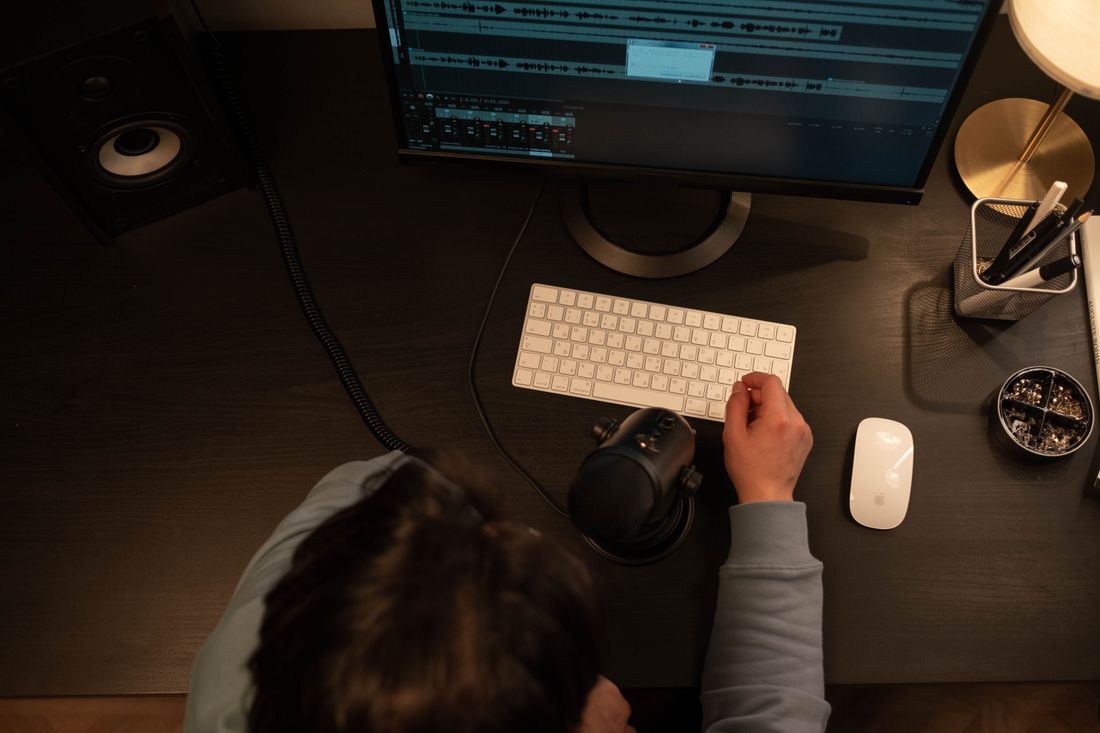
Photo by cottonbro studio via Pexels.
A client asks for captions on a delivered video and expects it to be a checkbox, not a line item. It is closer to a second pass on the file than a toggle. Captioning and alternate-format deliverables take real editor time, and the format a client actually needs depends on where the video is going to run.
Captions and alternate-format deliverables (burned-in captions, separate SRT or VTT files, transcripts) add editor time beyond the base edit, because someone has to generate, proof, and time-sync the text against the final cut. Pricing this as its own line item, quoted per minute of finished runtime, keeps it clear and predictable rather than folded invisibly into a day rate.
Table of Contents
- What does adding captions actually add to a video quote?
- What is the difference between burned-in captions and a separate caption file?
- What other alternate-format deliverables show up on a video quote?
- How is captioning actually priced on a video quote?
- Why does captioning take real editor time instead of running automatically?
- Does it cost more to add captions after a video is already delivered?
- Which caption format actually fits which platform?
- How does Core Visuals document captioning on a quote?
What does adding captions actually add to a video quote?
Captions add a documented line item to a video quote, priced separately from the edit itself, because they require a second pass through the finished file rather than a setting turned on during export. The cost reflects real editor time, not a checkbox.
Once a cut is locked, someone still has to generate the text, check it against the audio word for word, and time it to the picture so it reads cleanly on screen without lagging behind. That work happens after the creative edit is finished, which is exactly why it needs its own number rather than getting absorbed quietly into the base rate.
We quote captioning the same way we quote any other deliverable: as a defined task with a defined cost, tied to the finished runtime of the video. A client asking for captions on a two-minute recap and a client asking for captions on a fifteen-minute panel are asking for genuinely different amounts of work, and the quote should say so plainly.
What is the difference between burned-in captions and a separate caption file?
Burned-in captions are rendered directly into the video image and cannot be turned off. A separate caption file, usually an SRT or VTT, is a text file synced to timecodes that a platform reads and displays on top of the video, and can be turned on or off by the viewer.
The two solve different problems. Burned-in captions guarantee the text shows up everywhere the file plays, including a silent Instagram feed scrolling past without sound, but they are permanent and cannot be edited without re-rendering the whole video from that point forward. A caption file stays flexible, works with a platform's own built-in accessibility tools, and can be corrected after delivery without ever touching the video file itself.
Some clients need both formats on the same project: burned-in captions for social cutdowns meant to autoplay muted in a feed, and a separate caption file for the longer version living on YouTube or the website. Each is its own deliverable built from the same source cut, and we price them as separate line items rather than assuming one quietly covers the other or gets thrown in for free.
What other alternate-format deliverables show up on a video quote?
Beyond captions, the two other formats that show up most often are a plain-text transcript and audio description, a narrated track describing key visual action for a viewer who cannot see the screen. Both are separate deliverables from the caption file itself.
A transcript is the full spoken content of the video written out as readable text, useful for a webpage that wants searchable, indexable copy alongside the player, or for a client who wants the raw script for repurposing into an article. It is quicker to produce than a timed caption file, since it does not need to sync to timecode, but it is still a distinct task.
Audio description is the least common request we get, and the most involved to produce, since it requires writing a new narration track and mixing it against the existing audio without stepping on dialogue. When a client asks for it, we scope it as its own line separately from captions and transcripts, because the production work is genuinely different.
How is captioning actually priced on a video quote?
We price captioning per minute of finished runtime, which keeps the number tied to the actual amount of text that needs generating, proofing, and syncing. A five-minute video costs less to caption than a thirty-minute one, and the quote should scale accordingly rather than charging a flat fee regardless of length.
Runtime is the honest unit here because it maps directly to the work. A dense, fast-talking interview at five minutes can take longer to caption accurately than a slower-paced piece at the same length, but runtime is still the most transparent baseline a client can check against the delivered file themselves.
Multiple formats stack. A project asking for burned-in captions on a social cutdown and a separate SRT file on the long-form version gets billed for both, since they are two distinct outputs built from the same source footage. We list each format as its own line so the client can see exactly what they are paying for and drop anything they do not need.

Photo by BOOM Photography via Pexels.
Why does captioning take real editor time instead of running automatically?
Automated caption generation exists, but it is a starting draft, not a finished deliverable. It routinely misreads names, technical terms, and crosstalk, so someone still has to sit with the audio and correct every line before the file goes out under a client's name.
That proofing step is where most of the actual time goes. Running audio through an automated tool takes minutes. Checking every line against what was actually said, fixing misheard words, and adjusting timing so captions do not lag behind the speaker or cut off mid-sentence takes real, focused attention, especially on a video with multiple speakers, overlapping dialogue, or industry-specific language a generic tool was never trained to catch.
Skipping that proofing step produces captions that embarrass more than they help. A caption with a client's own product name spelled wrong, or a founder's name rendered as something unrecognizable, is worse than no caption at all. The editor time we quote covers exactly that correction pass, not just the initial automated draft nobody has actually checked.
Does it cost more to add captions after a video is already delivered?
Yes. Adding captions after a project has already been delivered and closed out usually costs more than including them in the original quote, because the editor has to reopen a finished timeline instead of finishing the caption pass while the file is already active.
While a project is still open, the editor already has the timeline, the audio stems, and the final cut sitting in the working file. Captioning at that stage is one more task inside a session that is already happening. Once a project closes, reopening it means locating the archived files, reloading the timeline, and re-familiarizing with a cut that may be weeks old.
The practical move is to say up front that captions or a transcript will be needed, even if the exact format is not decided yet. Flagging it during the quote stage costs nothing and keeps the option open at the original rate. Asking for it after delivery is still possible, just priced as its own reopened job.
Which caption format actually fits which platform?
Social platforms meant to autoplay muted, like Instagram and LinkedIn feeds, generally need burned-in captions, since a viewer scrolling past will never turn sound on. A hosted platform like YouTube or a website video player generally works better with a separate SRT or VTT file the viewer can toggle depending on how they watch.
The mismatch shows up when a client requests one format everywhere out of habit, usually because burned-in was the only version anyone shipped on a past project. Burned-in captions on a YouTube video remove the viewer's ability to turn them off if they already know the audio well, and a caption file on a muted social feed does nothing unless the platform happens to auto-display it, which not all of them do reliably or consistently.
We ask where each version of the video is actually going to run before quoting the format, not after the fact. A single project often needs a genuine mix: burned-in for the short social cuts, a caption file for the long-form upload. Matching format to destination up front avoids paying twice to convert one into the other later.
How does Core Visuals document captioning on a quote?
We list captioning and any alternate-format deliverable as its own numbered line on the quote, tied to runtime and format, the same way we itemize editing rounds or a day rate. A client can see exactly what is included and what would need to be added.
That documentation habit exists because captioning is easy to assume is free and easy to forget until a client is already reviewing a locked cut. Writing it into the quote up front, even as an optional line the client can decline, keeps the conversation honest instead of becoming a surprise ask during final delivery.
This is production and pricing guidance, not accessibility or legal advice about when captions are required for a given video. If a client needs to know whether a specific video legally requires captions, that is a question for their own counsel. What we can tell them clearly is what it costs to add, and we would rather have that conversation early than after the file has already shipped.
Frequently Asked Questions
Are captions included in a standard video production quote by default?
Not automatically. Captioning and alternate-format deliverables are priced as their own line item, tied to the finished runtime of the video, because they require editor time beyond the base edit itself. If a project needs captions, say so during the quote stage so it gets scoped and priced up front, rather than surfacing as a surprise add-on after the file has already been delivered and the project closed out.
What is the difference between burned-in captions and an SRT file?
Burned-in captions are rendered permanently into the video image and always display, which suits a muted social feed the viewer scrolls past without sound. An SRT or VTT file is a separate timed text file a platform reads and displays on top of the video, and the viewer can toggle it on or off. Many projects genuinely need both, priced as two distinct deliverables rather than one covering the other.
Why does captioning cost extra if automated tools can generate captions for free?
An automated draft still has to be checked against the actual audio, line by line, to catch misheard names, technical terms, and timing errors before it goes out under a client's name. That correction pass is where most of the billed time actually goes, not the initial automated generation itself, which takes only minutes on its own and is never accurate enough to ship without a proofing pass.
Is it cheaper to add captions during editing or after a video is delivered?
Adding captions while a project is still open is usually cheaper, since the editor already has the timeline and audio stems active in the working session. Once a project is delivered and closed, adding captions later means reopening an archived file and a cut that may be weeks old, which gets billed as its own separate task rather than folded quietly into the original editing rate.
Does Core Visuals advise on whether a video legally needs captions?
No. This is production and pricing guidance about what captioning actually costs to add, not legal or accessibility compliance advice about when captions are required for a given video or audience. If a client needs to know whether a specific video is legally required to be captioned, that question goes to their own counsel, not to a production quote or an editor's opinion on the matter.
Related Reading
Need a real number before you can plan the rest of the budget?
Give us the date, the run time, and the deliverables you're after, and we'll send back a quote with every line item spelled out.
Get a Quote