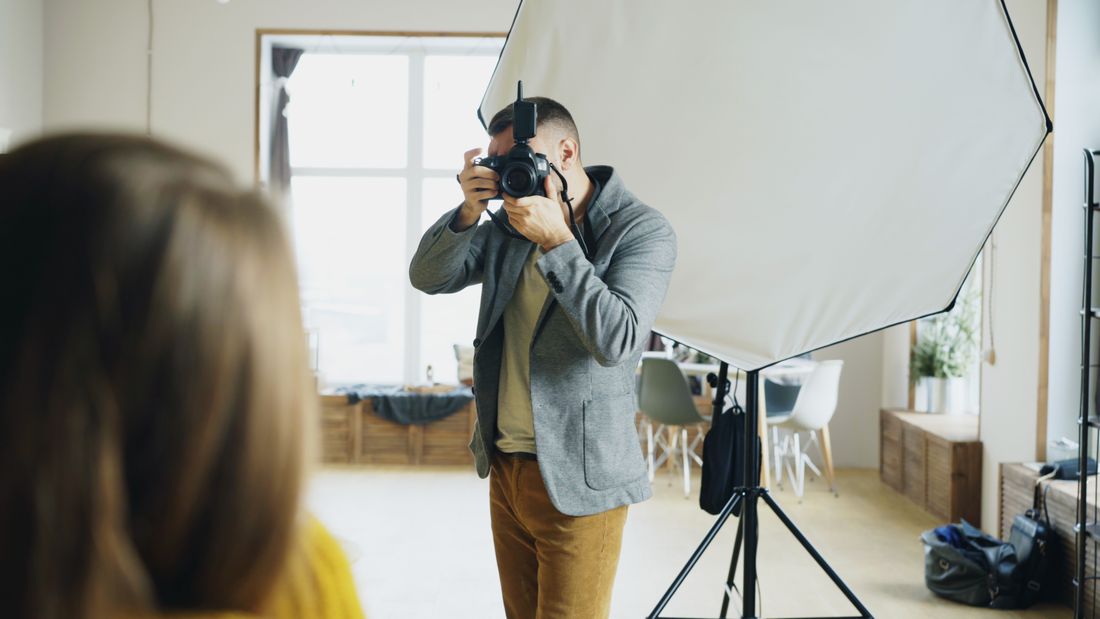
Photo by Vitaly Gariev via Pexels.
I've noticed something that trips up in-house teams every time a real press opportunity shows up: the headshot already on file was built for the company directory, not for a magazine editor cropping it sight unseen. A publicist's request and an HR request are aimed at the same executive's face, but they are not the same ask — and the gap between them usually gets discovered a few hours before a deadline, which is the worst possible time to discover it.
A PR team asks for a portrait built to survive reuse it can't predict: room around the head for cropping, both a neutral and an environmental background option, high-resolution uncompressed originals instead of a web-sized export, and usage permission already settled — so a journalist can run the photo without a round of emails first.
Table of Contents
- Why a Publicist's Photo Request Reads Nothing Like HR's
- What 'Room Around the Head' Actually Buys You
- Shooting a Neutral Set and an Environmental Set Back to Back
- Wardrobe and Background Choices for a Photo That Might Run Anywhere
- What 'High-Res' Actually Means to a Magazine or Wire Editor
- Why the Original File Is Not the Same as the One You'd Post
- Settling Usage Terms Before the Shutter Clicks, Not After the Ask
- Building One Sitting That Actually Works for Both Requests
Why a Publicist's Photo Request Reads Nothing Like HR's
A PR team asking for an executive photo wants a file built to survive being used somewhere it can't predict — a different crop, a different publication, a caption it didn't write. HR wants one clean photo for a directory page it controls completely. Same face, two different sets of requirements.
When HR requests headshots, it's building something it owns end to end — the intranet, the org chart, maybe a LinkedIn banner. It picks the crop. If the framing is slightly tight or loose, nobody outside the building notices. A publicist's request comes from different constraints entirely: a reporter on deadline, a photo editor building a page that isn't finished being designed yet, an events team dropping a headshot into a printed program at a size nobody discussed in advance.
That's the real difference. HR's file gets used once, by the people who requested it, in the format they wanted. A press-ready portrait gets used by someone you'll never meet, for a purpose not yet decided when the shutter clicked. It has to hold up to decisions you don't get a vote in — which is why the shoot needs different habits, not just a different label on the folder.
What 'Room Around the Head' Actually Buys You
Room around the head means composing the shot looser than feels natural in the moment — more space above the hair, more space at the shoulders — so a magazine or website can crop tighter later without clipping an ear, a shoulder, or the top of the frame. You can't add space back in after the fact.
Most executive portraits get shot the way HR wants them: face filling most of the frame, minimal wasted space, ready to drop into a small directory thumbnail exactly as delivered. That framing works fine until someone needs a vertical crop for a magazine slot, or a wide horizontal crop for a website banner with room for a headline running beside the face.
If the original file was framed tight, there's nothing to work with — the crop either clips the subject or forces a resize that leaves visible empty space where hair or shoulder used to be. Shooting loose costs nothing on the day. It just means treating the edges of the frame as unused space instead of a hard boundary, then letting whoever needs the file decide how tight to go later. The photographer plans for reuse. The editor makes the actual call.
Shooting a Neutral Set and an Environmental Set Back to Back
A press-ready sitting works best when it produces two distinct looks in one booking: a plain, neutral background that reads clean anywhere, and a second setup in an actual office or workspace that gives an editor a photo with some visual context. Shooting both takes maybe fifteen extra minutes and covers two different use cases.
A neutral background is the safe default — a plain wall, a solid paper backdrop, nothing that competes with the subject or dates the photo to a specific office redesign. It works in a black-and-white newspaper photo, a conference program, a bio page with a busy layout around it. It's forgettable in the right way.
An environmental shot does something different: it puts the executive in a real setting — at a desk, near a window, in a hallway with some depth to it — and gives a longer profile piece something with texture instead of a floating head on a blank wall. Neither option replaces the other. A publicist doesn't know in advance whether a placement calls for clean and neutral or grounded and specific, so producing both from the same sitting beats guessing and being wrong.
Wardrobe and Background Choices for a Photo That Might Run Anywhere
Wardrobe for a press-ready portrait should skip anything with a strong pattern, a logo, or a color tied to one specific brand context, because the photo might run next to a competitor's ad, on a black-and-white printed page, or cropped down to a small thumbnail where a busy pattern turns into visual noise. Solid, mid-tone clothing travels best.
This isn't about looking bland — it's about not accidentally working against whoever uses the photo next. A bold print that looks sharp in a magazine spread can moiré badly in print or read as distracting in a small web thumbnail. A shirt in the exact shade of a competitor's brand color creates a visual mixup nobody intended.
Background follows the same logic. Branded step-and-repeat walls, product displays, or visible text behind the subject limit where an editor can use the shot — many outlets won't run a photo that reads as an ad. Keep the background clean or neutral, and save the branded backdrop for photos your own marketing team controls the placement of. The goal is a portrait that works as a portrait first, without needing anyone's permission to strip out a logo before they can use it.
Photo by Max Vakhtbovych via Pexels.
What 'High-Res' Actually Means to a Magazine or Wire Editor
High-res for editorial use generally means a file large enough to print at a reasonable size without visible pixelation — practically, that's a full-resolution export straight off the camera, not a version resized or compressed for a website. A photo that looks sharp on a phone screen can still be too small for a printed page.
Web images get compressed and downsized on purpose — a photo built for a homepage loads fast at maybe 1,000 or 1,200 pixels wide, which is plenty for a screen but nowhere near enough for a magazine spread or a printed program that needs the file at a much larger physical size. Editorial requests usually want the opposite: the largest, least-compressed version that exists.
The safest habit is treating the camera's own full-size export as the file to keep on hand for these requests, separate from whatever gets uploaded to a website or shared on LinkedIn. That original file is bigger and more than most requests need — but it's the one version that works for every use case at once, from a business card to a full-page feature, instead of forcing a reshoot because the only file on hand was built for a screen.
Why the Original File Is Not the Same as the One You'd Post
The file a photographer hands over for social media or a website is usually compressed and adjusted for that specific use, while the uncompressed original preserves every bit of detail the camera captured — the version an editor would actually want for print or a different crop. Keep both. They're not interchangeable.
Compression is a reasonable trade for the web — smaller files load faster, and the quality loss is invisible at screen resolution. But that same compression shows up the moment someone tries to crop tighter, adjust the color for a different printing process, or enlarge the file beyond what it was built for. Artifacts and softness that were never visible on a phone screen become obvious.
This is really a filing habit more than a technical one: ask your photographer to deliver both a web-ready set and the uncompressed originals, and keep the originals somewhere a publicist or an assistant can find them without a scavenger hunt through old email attachments. The version built for Instagram was never meant to survive being resized for a press credential. Having the other file already sitting in a folder is the difference between answering a same-day request and apologizing for one.
Settling Usage Terms Before the Shutter Clicks, Not After the Ask
The smoothest press requests happen when the executive or their team already knows, going into the shoot, what the photo is cleared to be used for — internal use, media use, or both — instead of figuring it out for the first time when a reporter emails asking to run it. A quick conversation up front saves a scramble later.
This isn't legal advice, and the exact terms of any release are a question for whoever handles that at your company — but the planning habit is simple: decide before the shoot whether these portraits are meant to circulate outside the building, and say so plainly when the session gets booked. That one conversation shapes everything downstream, from how the file gets labeled to whether anyone has to be tracked down for a signature later.
What kills momentum is the opposite pattern: a journalist wants the photo today, and the answer sits in someone's inbox waiting on a reply from a person who's traveling. A portrait meant for media use should come with permission settled at the time it's taken, so sending the file is a two-minute task instead of a multi-day approval chain nobody planned for.
Building One Sitting That Actually Works for Both Requests
The most efficient approach is booking a single portrait session that produces everything both HR and a PR team might eventually need — loose and tight framing, neutral and environmental backgrounds, high-res originals — rather than scheduling a second shoot later because the first one only solved for the directory photo. One sitting, multiple outputs.
Re-shooting an executive a few months after the fact because a press opportunity came up and the only photo on file was cropped too tight is a scheduling headache nobody enjoys — calendars, travel, and a busy person's patience are all harder to line up the second time. Planning for both uses from the start avoids that entirely.
In practice, that means treating an executive portrait session as slightly more thorough than a standard headshot: a little more time per person, a couple of extra frames in each setup, and a delivery folder organized so someone unfamiliar with the shoot can find the right file without asking. It's a small amount of extra planning at the front end that pays off the one time a reporter, an events team, or a keynote organizer asks for a photo with two hours' notice.
Frequently Asked Questions
What's the difference between a headshot for HR and one for a press request?
An HR headshot is built for one specific, controlled use — an internal directory or a company page the HR team manages completely. A press-ready portrait has to work for uses nobody has decided yet: a magazine crop, a conference program, a photo editor's layout. That means shooting looser, producing both a neutral and an environmental option, and delivering a high-res, uncompressed original alongside whatever gets used on the website or LinkedIn.
How much room around the head should a portrait leave for press use?
Leave noticeably more space above the head and around the shoulders than feels natural for a standard headshot crop. That extra space gives a magazine, website, or program room to crop tighter for its specific layout without clipping an ear, a shoulder, or the top of the frame. You can always crop a loose photo tighter later — you can't add space back into a photo that was framed too close to begin with.
Should a portrait be shot vertical, horizontal, or both for media use?
Both, when possible. A magazine cover or a mobile-first layout usually wants a vertical portrait, while a website banner or a printed program spread often needs a horizontal frame with room for text beside the subject. Shooting a few extra frames in the other orientation during the same sitting is a minor addition to the shoot and removes the guesswork about which format a given placement will actually need.
What resolution counts as high-res for a magazine or news outlet?
There's no single universal number, but the practical standard is the camera's full-resolution export — not a version already resized or compressed for a website or social media. A file built for a screen at around 1,000 to 1,200 pixels wide is fine for a homepage but too small for most print use. Keeping the original, uncompressed file on hand covers print, web, and anything in between without needing a reshoot.
Do you need signed permission before sending an executive portrait to a reporter?
That's a question for whoever handles releases and rights at your company, not something to improvise in the moment — this isn't legal advice. What helps operationally is deciding at the time of the shoot whether the portraits are meant for media use, and getting any needed permission settled then. That way, when a reporter asks for the file, sending it is a quick task instead of a delay while someone tracks down an approval.
Related Reading
Planning headshots for a finance or wealth management team?
Tell us your team size and the tone you're going for, and we'll build a session that fits the credibility bar this industry actually needs.
See Headshots & Brand Videos