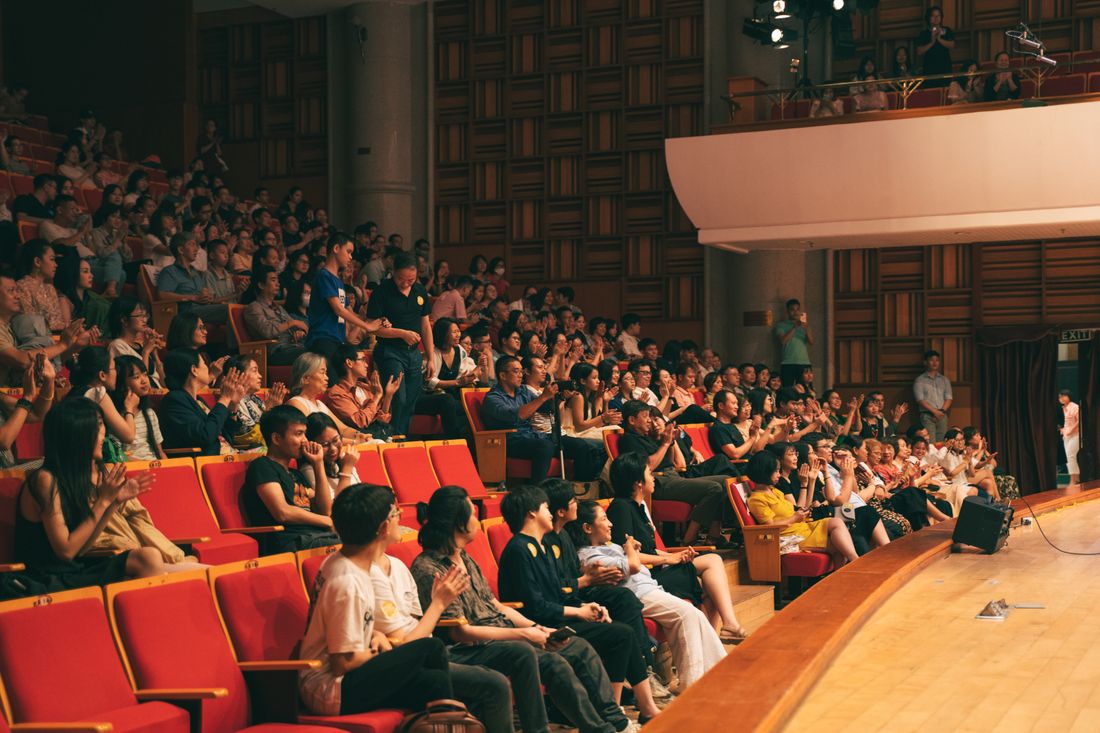
Photo by Hoàng Tiến Việt via Pexels.
Most of the conference coverage advice out there assumes a company is a vendor working an aisle, trying to get strangers to stop at a booth. A user conference flips that: the audience already uses the product, already pays for it, and showed up to see what's next — which changes what's worth pointing a camera at, from the first keynote to the last hallway conversation.
A company's own user conference should be covered differently than an industry event because the audience already knows the brand. Coverage should prioritize keynote moments from company leadership, breakout demo depth over booth-style variety, and real customer reactions and stories on stage — proof for an audience that already bought in, not an introduction for strangers.
Table of Contents
- What Changes When It's Your Own Conference, Not One You're Attending
- Keynote Coverage When the Speaker Works for You
- Breakout and Demo Rooms: Depth Instead of Booth Variety
- Customer Win Moments: The Proof Points Worth Capturing Live
- Hallway Conversations Between Customers, Not Vendors
- How User Conference Footage Gets Used After the Event
- Naming Coverage Priorities Before the Day Starts
- What Changes When Your Own Team Runs the Room
What Changes When It's Your Own Conference, Not One You're Attending
Hosting a user conference means the audience already knows the brand, so coverage should prioritize proof over introduction — customer reactions, product moments customers care about, and the on-stage exchanges between the company and the people who already pay it, rather than booth traffic aimed at strangers.
Attending or sponsoring someone else's industry event means competing for attention inside someone else's room. A booth has to work in seconds because most people walking by have never heard of the brand, and the coverage job is mostly about getting strangers to slow down long enough to notice it exists. A company's own conference doesn't have that problem — everyone in the room chose to be there, already uses the product, and wants to see what's next. That changes the coverage brief entirely. Instead of chasing foot traffic past a booth, the priority becomes documenting the parts of the day that only happen because the company controls the stage: the keynote, the roadmap reveal, the moment a customer stands up and says the product changed how their team works.
Keynote Coverage When the Speaker Works for You
A company's own conference puts its own executives on stage, not an outside keynote speaker being introduced to a new room. Coverage should treat that keynote as the day's single most reusable asset — clean, audio-synced footage of leadership delivering the message the rest of the event supports, not just another agenda slot to check off.
Most industry-event keynotes get shot for the room, not for reuse — a wide shot, a lower third, done, because the speaker is a guest and the footage rarely leaves that room. A company's own keynote deserves treatment closer to a proper interview: enough camera angles to cut cleanly, audio pulled straight off the board instead of a shotgun mic across a ballroom, and coverage of the room's reaction to prove people were actually listening. That keynote is likely to get cut into shorter clips for sales, marketing, and next year's promo before the conference is even over, so it's worth treating like the asset it actually is instead of one more session on the schedule.
Breakout and Demo Rooms: Depth Instead of Booth Variety
Breakout and demo rooms at a company's own conference can go deeper than anything possible on a trade-show floor, because the audience already knows the product and showed up to see the details. Coverage should favor sustained documentation of one or two sessions over quick coverage of every room, since depth is what makes the footage useful later.
At someone else's industry event, a company gets a booth and maybe a ten-minute speaking slot, so coverage has to be broad and fast just to catch what exists. A user conference removes that constraint. Breakout rooms can run with the same product team the whole time, and the audience sitting in those chairs already understands the basics. That's a different filming job — less about establishing what the product is and more about capturing the moment a feature clicks for people who already use an earlier version of it. Picking one or two breakouts to cover in depth, instead of skimming all of them, tends to produce footage worth cutting into something later.
Customer Win Moments: The Proof Points Worth Capturing Live
Customer win moments are the on-stage or on-camera instances where an actual customer describes a real result in their own words, and they're often the most persuasive footage a user conference produces. Coverage should treat these moments as a priority proof point of the day, not a nice-to-have alongside the keynote and the group photos.
A vendor at someone else's conference has to make claims about its own product. A company running its own conference gets something a booth never does: a customer standing at a mic, unprompted by the company, describing what actually changed for their team. That's a different kind of footage than a staged testimonial — it happens live, once, often with less polish than a scripted version, and that rawness is part of what makes it credible later. Positioning a camera and a clean audio feed on the Q&A mic or the customer panel, not just the main stage podium, is often the difference between capturing that moment and missing it entirely.

Photo by Kampus Production via Pexels.
Hallway Conversations Between Customers, Not Vendors
Hallway conversations at a user conference happen between customers, not between a company and a stranger it's trying to win over, and that changes what's worth documenting between sessions. Coverage should look for genuine networking moments — two customers comparing notes, a group forming around a shared use case — rather than staged mingling shots.
At an industry event, the hallway is where a vendor works a room of people who haven't decided anything yet. At a company's own conference, the hallway is where existing customers find each other — sometimes for the first time, since they may only have interacted with a support team or an account manager before this. Those conversations are worth watching for because they're evidence of something the company itself can't manufacture: a community that exists around the product outside of any one company message. A few honest, unposed shots of that kind of conversation usually read as more credible in later marketing than another photo of a branded step-and-repeat.
How User Conference Footage Gets Used After the Event
User conference footage tends to get used well past the event itself — in sales decks, on the company's own website, and in recruiting materials — because it documents customers and leadership together in one place at one time. Coverage should be organized with that reuse in mind from the start, not sorted out after the event is over.
A single day of coverage from a company's own conference can end up serving several teams months later. Sales might pull a customer quote clip for a deal in progress. Marketing might use the keynote for a launch recap. Recruiting might use a wide shot of the room to show what the customer base actually looks like in person. None of those uses are guaranteed unless the footage is captured and organized with them in mind — labeled by session, searchable by speaker, not one long unsorted folder from the day. Planning for reuse before the event starts is what determines whether the footage still gets pulled a year later.
Naming Coverage Priorities Before the Day Starts
Naming coverage priorities before a user conference starts means deciding in advance which few moments matter most — the keynote, a specific customer panel, one breakout — instead of asking a crew to capture everything equally. A conference that tries to cover every session at the same level usually ends up with thin footage of all of it.
A company running its own event usually has more control over the schedule than a vendor at someone else's conference, which makes it worth using deliberately. Deciding ahead of time whether the goal is sales enablement, a recap for next year's promo, or documentation for a specific customer story changes where a camera should point for most of the day. Without that conversation, the default tends to be even coverage across every session, which produces a folder full of adequate clips instead of a handful of genuinely useful ones. The planning conversation is short, but it has to happen before the doors open, not while reviewing footage afterward.
What Changes When Your Own Team Runs the Room
When a company runs its own conference, its own staff handles registration, stage management, and the run of show — which means the coverage crew is coordinating with people who already know the schedule, not guessing at a third-party event's timing. That access changes what's possible to capture compared to attending someone else's event.
At an industry conference, a company's crew is often working around someone else's production team, someone else's run-of-show changes, and limited access to backstage or green-room moments, with no way to influence any of it. At its own conference, the company's staff can flag a schedule change in real time, get a camera into the room before a customer panel starts instead of after, or make sure the crew knows which speaker deserves extra coverage before they're announced. That coordination advantage is easy to take for granted, but it's often what separates footage that captures a moment as it happens from footage that shows up a beat late because nobody flagged the change.
Frequently Asked Questions
How is coverage for a company's own user conference different from an industry conference?
At an industry event, a company is one exhibitor among many, competing for strangers' attention with a booth and a short speaking slot. At its own user conference, the audience already uses the product and showed up specifically to hear from it, so coverage can prioritize depth over reach — a full keynote, extended breakout sessions, and real customer reactions — instead of quick booth traffic aimed at people who need the brand introduced first.
Should the keynote or the breakout sessions get priority coverage?
Both matter, for different reasons, so the honest answer is to plan for both rather than pick one. The keynote is usually the most reusable asset — clean, quotable footage of leadership for months of marketing use afterward. Breakout sessions capture depth and specific product moments a keynote can't fit in. Naming which breakout matters most in advance, rather than trying to cover all of them evenly, is what actually protects keynote coverage time.
How does footage from a user conference typically get used afterward?
It tends to serve more than one team over a longer window than the conference itself. Sales may pull a customer quote for a deal in progress, marketing may cut the keynote into a launch recap, and recruiting may use room footage to show what the customer base looks like in person. That reuse only happens if footage is organized by session and speaker during the event, not sorted from one long unlabeled folder afterward.
Should customer interviews be part of user conference coverage?
Yes, when a customer is willing and the moment is genuine — a Q&A comment, a panel remark, or a hallway conversation captured with permission. These moments carry more weight than a scripted testimonial because they happen live and unprompted by the company. They shouldn't be manufactured or staged to look spontaneous; the value is that they're real. Planning where a camera can reasonably sit near a mic or a panel is usually enough to capture them without staging anything.
How far in advance should coverage planning start for a user conference?
As early as the agenda is locked, since coverage priorities depend on knowing which sessions matter most before the day arrives. That includes deciding whether the goal is sales enablement, a recap for next year's promotion, or documentation of specific customer stories, because each of those changes where a camera should spend most of its time. Waiting until the week of the event usually means defaulting to even coverage of everything instead of depth where it counts.
Related Reading
Not sure if hourly or a package makes more sense for your event?
Tell us the expected length, and we'll run the actual numbers before you book.
See Event Coverage Packages