Photo by Caleb Oquendo via Pexels.
Ask an AV tech and a documentation photographer what they need from the same room during a hybrid event, and you'll get two different answers. The stream wants a locked camera, clean program audio, and nobody walking through frame. Documentation wants angles, movement, and the moments the stream never sees — the hallway conversation before the keynote, the reaction shot from row twelve. Neither crew is wrong. They're optimized for two audiences watching the same event through two completely different lenses, and the collision points are predictable enough to plan around before the run of show ever gets locked.
Hybrid events split coverage into two jobs working the same room: an AV vendor running the livestream, who needs locked cameras, clean program audio, and stillness, and a photo/video team documenting the event, who needs angles, movement, and candid moments. They collide on camera positions, lighting, and audio unless the two teams coordinate before the run of show locks.
Table of Contents
- Why the Stream Crew and the Documentation Crew Want Different Things
- Who Owns What: the AV Vendor vs. Your Photo and Video Team
- Where Camera Positions Actually Collide in the Room
- Lighting the Room for the Seats vs. Lighting It for the Stream
- The Audio Split: One Program Feed, Two Different Jobs
- The Photographer Who Walks Through a Locked Shot
- What the Remote Audience Actually Needs Afterward
- The Planning Conversation That Has to Happen Before the Run of Show Locks
Why the Stream Crew and the Documentation Crew Want Different Things
A stream crew wants a locked-off camera, clean program audio, and a room that holds still — any movement in frame or noise on the feed becomes something a remote viewer notices immediately. A documentation crew wants the opposite: multiple angles, physical movement around the room, and the unscripted moments between sessions that never touch the stream at all.
Both crews are right, and both are working the same room at the same time. That's the actual tension in hybrid coverage, and it's not a personality conflict between two teams. It's a structural difference in what each output is for. A livestream is a single, continuous, real-time broadcast — it has to look and sound finished the moment it airs, with no editing pass to fix a bad angle later. Photography and B-roll get edited after the fact, so movement and variety are assets, not risks. Planning around that difference, instead of hoping the two crews sort it out on the day, is what keeps hybrid coverage from turning into a low-grade standoff over who gets to move where.
Who Owns What: the AV Vendor vs. Your Photo and Video Team
The AV vendor owns the live production: the stream cameras, the switcher, program audio, and anything the remote audience sees in real time. Your photo and video team owns documentation: candid stills, B-roll, cutaway footage, and the moments before, after, and between sessions that the stream was never built to capture.
Those are two separate jobs with two separate deliverables, even when they're happening in the same room at the same time. Naming that split matters more than it sounds like it should. Most friction on a hybrid event day comes from nobody having said out loud, before the event, which team is responsible for which output — so both crews assume they have priority in the same spot at the same moment. We're not the AV vendor and don't run the livestream ourselves; we're the team producing the photography and video documentation around it. Being clear about that boundary early is what lets both jobs get done without either one apologizing for being in the room.
Where Camera Positions Actually Collide in the Room
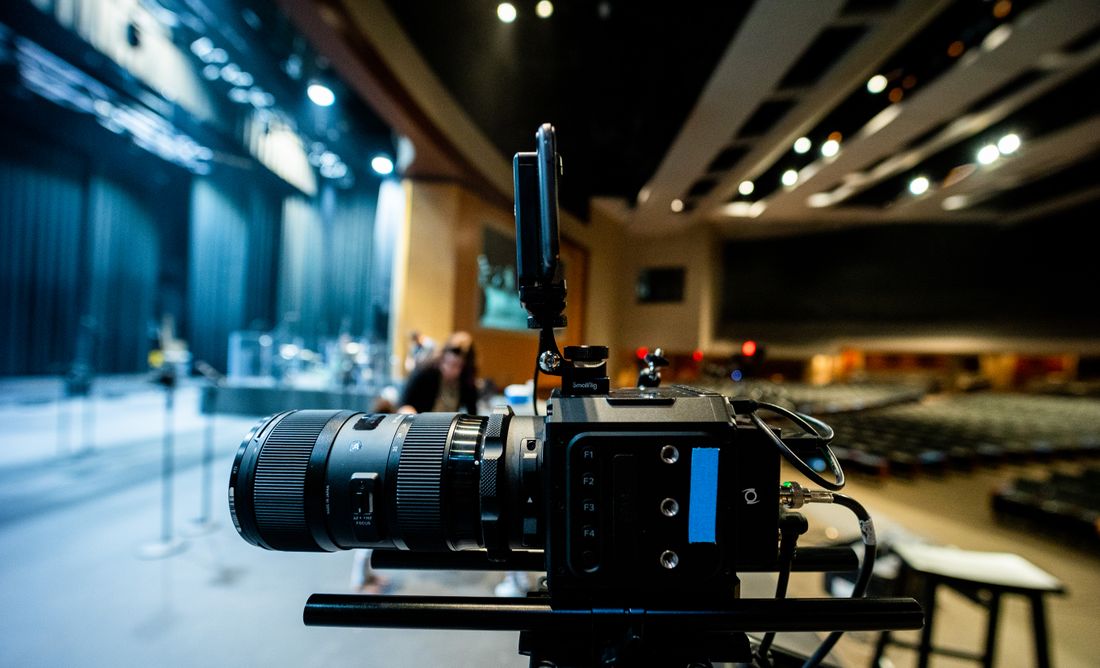
Stream cameras are usually locked into two or three fixed positions — a wide shot of the stage and a tighter shot on the speaker — chosen for a clean sightline that can't move once the show starts. Documentation needs angles those fixed positions don't cover: the audience from the side, the stage with depth, a spot near the front for close reaction shots. The collision happens when the best documentation angle sits directly in a stream camera's sightline.
Working this out on the day means a photographer discovering, mid-session, that the angle they wanted is exactly where a locked-off camera is pointed. Working it out in advance means walking the room together — AV vendor and photo/video team — before doors open, and agreeing on a small number of positions documentation can use without crossing a stream sightline. It's a five-minute conversation, walked room by room, that prevents an hour of quiet negotiating once the first session is already live and both crews are working the space at once.
Lighting the Room for the Seats vs. Lighting It for the Stream
A room lit well for the people sitting in it — warm, even, comfortable to look at for two hours — often reads flat or underexposed on a stream camera, which needs more contrast and a brighter key on the speaker to hold up on a compressed feed.
Photography and video documentation need something closer to the room's natural lighting to capture real expressions and depth, not a flattened broadcast look. Those two needs aren't always in conflict, but they can pull in different directions at the exact moments that matter most: a keynote entrance, a panel transition, a moment on stage worth capturing for both audiences at once. The AV vendor typically owns the stage lighting plan since it has to serve the stream first. Where documentation needs something different — enough ambient light in the audience to shoot candids without a flash going off during a locked stream shot — that's a specific ask worth raising before the lighting plan is finalized, not after.
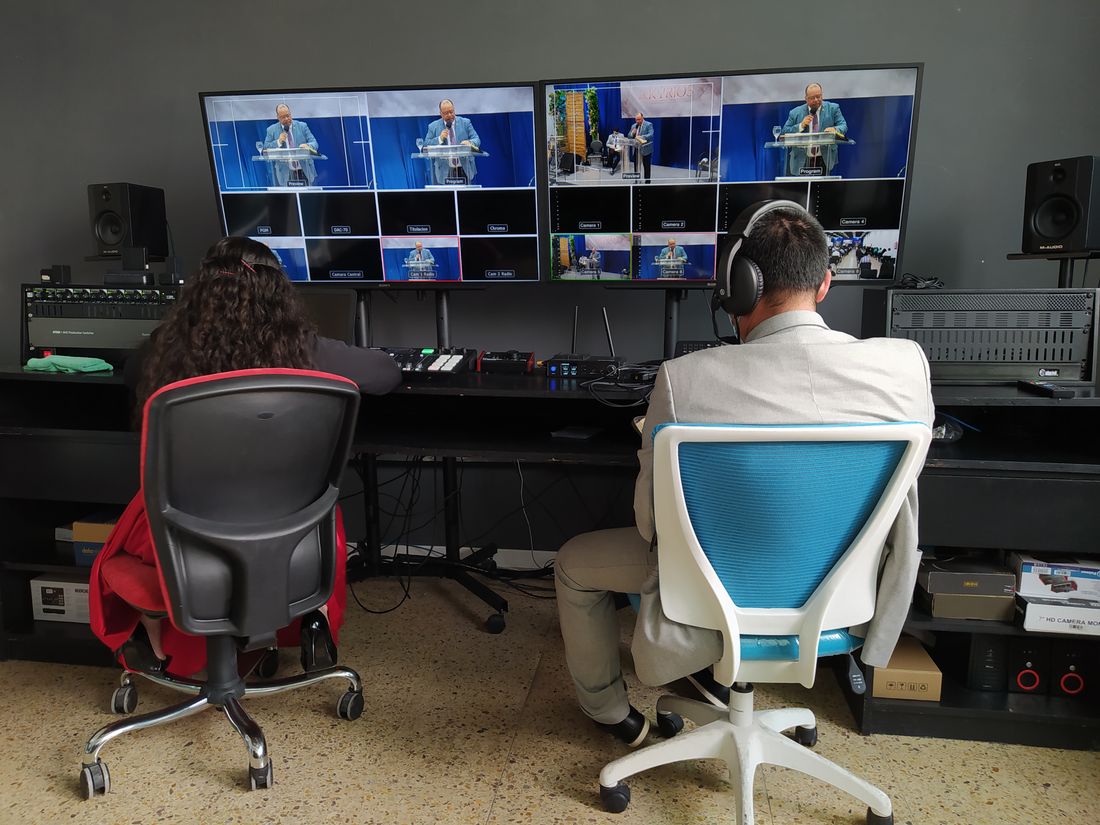
Photo by Jimmy Tomás via Pexels.
The Audio Split: One Program Feed, Two Different Jobs
The stream needs a clean program audio feed — the podium mic, the panel lavs, mixed and routed straight into the broadcast with nothing else bleeding in. Documentation video wants a bit more of the room in the mix: audience laughter, applause, the texture that makes a recap video feel like it happened somewhere, not in a vacuum.
Pulling both from the same source without a plan usually shortchanges one of them. In practice, this means asking the AV vendor for a second, room-inclusive audio feed for documentation video, separate from the clean program feed going to the stream — most AV setups can split a feed this way if it's requested ahead of time. Photography doesn't need any of this, since a still camera doesn't record sound, but video documentation does, and it's a much easier ask before the audio routing is built than after the board is patched and the vendor has already moved on to the next item on their list.
The Photographer Who Walks Through a Locked Shot
A stream camera locked on a wide shot of the stage has no way to route around a photographer who steps into frame chasing a better angle — the audience at home sees exactly what walked past, in real time, with no edit to quietly fix it afterward.
This is the single most common flashpoint on a hybrid event day, and it's rarely about carelessness. It's about a photographer working without a map of where the locked cameras actually are. The fix isn't telling documentation to stay out of the way in general — that just produces flat, static coverage nobody wants either. It's giving the photographer specific dead zones to avoid crossing during the parts of a session that are actually live on stream, and specific windows — a transition, an applause break, before a session starts — when the room is more forgiving to move through. That information has to come from the AV vendor, because they're the only ones who know exactly what's live and when.
What the Remote Audience Actually Needs Afterward
The remote audience already watched the sessions live on a fixed, wide angle — what they don't have afterward is anything the stream camera couldn't get: close-up reaction shots, the room's energy between sessions, portraits of speakers they only saw from a distance on screen.
Documentation photography and B-roll fill exactly that gap, and it's a different need than a recap video of the sessions themselves. That distinction matters when planning deliverables. A remote attendee doesn't need another version of the keynote they already watched — they need the material that makes the event feel like something they were part of, not just something they streamed: photos for a follow-up email, images the marketing team can use that show the room actually full of people, footage of the parts the fixed camera never saw. Planning for that audience means asking what the stream already delivered before deciding what documentation needs to cover, so the two outputs land as complements instead of quietly duplicating each other.
The Planning Conversation That Has to Happen Before the Run of Show Locks
Before the run of show is finalized, the AV vendor and the photo/video team need one direct conversation: which cameras are locked and where, what the audio split looks like, what the lighting plan does to the room, and which moments each crew is actually responsible for capturing.
Skipping this conversation doesn't remove the collisions — it just moves them from a planning document to the middle of a live session, in front of the exact audience nobody wanted to lose. This doesn't need to be a long meeting. It needs to happen with both teams in the same conversation, not relayed secondhand through the organizer, because the two crews are the ones who actually know what their equipment and positioning require. Once that's settled, it becomes part of the run of show itself — camera positions marked, audio split confirmed, dead zones noted for documentation — so nobody on event day is discovering for the first time where the other team's cameras are pointed.
Frequently Asked Questions
What's the difference between a hybrid event and a webinar?
A webinar is studio-side production — a presenter talking to a camera and a video call link, with no physical room to manage. A hybrid event has a live, in-person audience in a real room, with a stream layered on top for people watching remotely. That live room is what creates the coverage split this post is about: an AV crew running the stream and a documentation crew capturing the room, both working the same space at once.
Who's responsible for the livestream at a hybrid event — the AV vendor or the photo/video team?
Typically the AV vendor, not the photo/video documentation team. The AV vendor owns the stream cameras, the switcher, and program audio going out to remote viewers. The photo/video team handles documentation: stills, B-roll, and cutaway footage that isn't part of the live broadcast. Knowing which team owns which output before the event avoids both crews assuming they have priority over the same camera position or moment.
Can one camera operator handle both the stream feed and event photography?
Not well, and not at the same time. A stream camera has to stay locked on a fixed position for the full session, while documentation needs to move, change angles, and follow what's actually happening in the room. Asking one person to do both means the stream loses its steady shot the moment they move for a photo, or the photography stays static and misses everything. They're different jobs that need different people.
Why can't the photographer just avoid walking in front of the stream cameras?
Without a map of exactly where the locked cameras are and when a session is actually live, a photographer working the room has no way to know which angles are off-limits. The fix isn't telling them to stay out of the way generally — that produces flat coverage — it's the AV vendor sharing specific camera positions and safe windows to move, worked out before the event instead of guessed at during it.
What should the remote audience get that the in-room audience doesn't?
The remote audience already watched the sessions live from a fixed, wide stream angle, so a recap of the sessions themselves is redundant. What they're missing is what the stream camera couldn't capture: close reaction shots, portraits of speakers seen only from a distance, and the energy of the room between sessions. Documentation photography and B-roll are built to fill exactly that gap, not to repeat what the stream already delivered.
Related Reading
Not sure if hourly or a package makes more sense for your event?
Tell us the expected length, and we'll run the actual numbers before you book.
See Event Coverage Packages